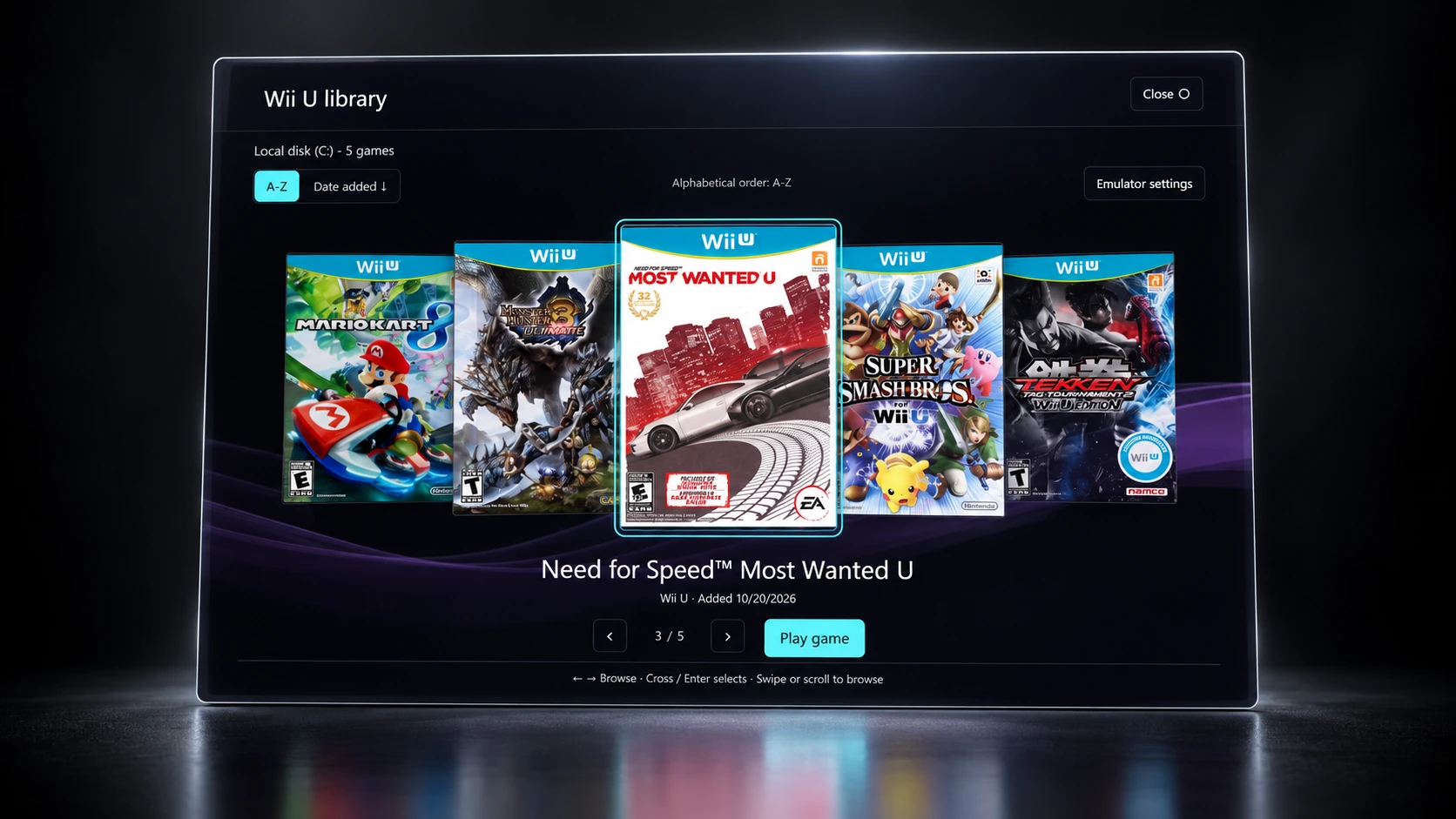
A home for your collection.
Browse by console, find your games by their covers, and open them with the emulator you choose. Your existing folders stay easy to manage.
 FORSAKEN EMU
Organize your games, emulators and music
in one portable Windows launcher.
Windows Bring your own files
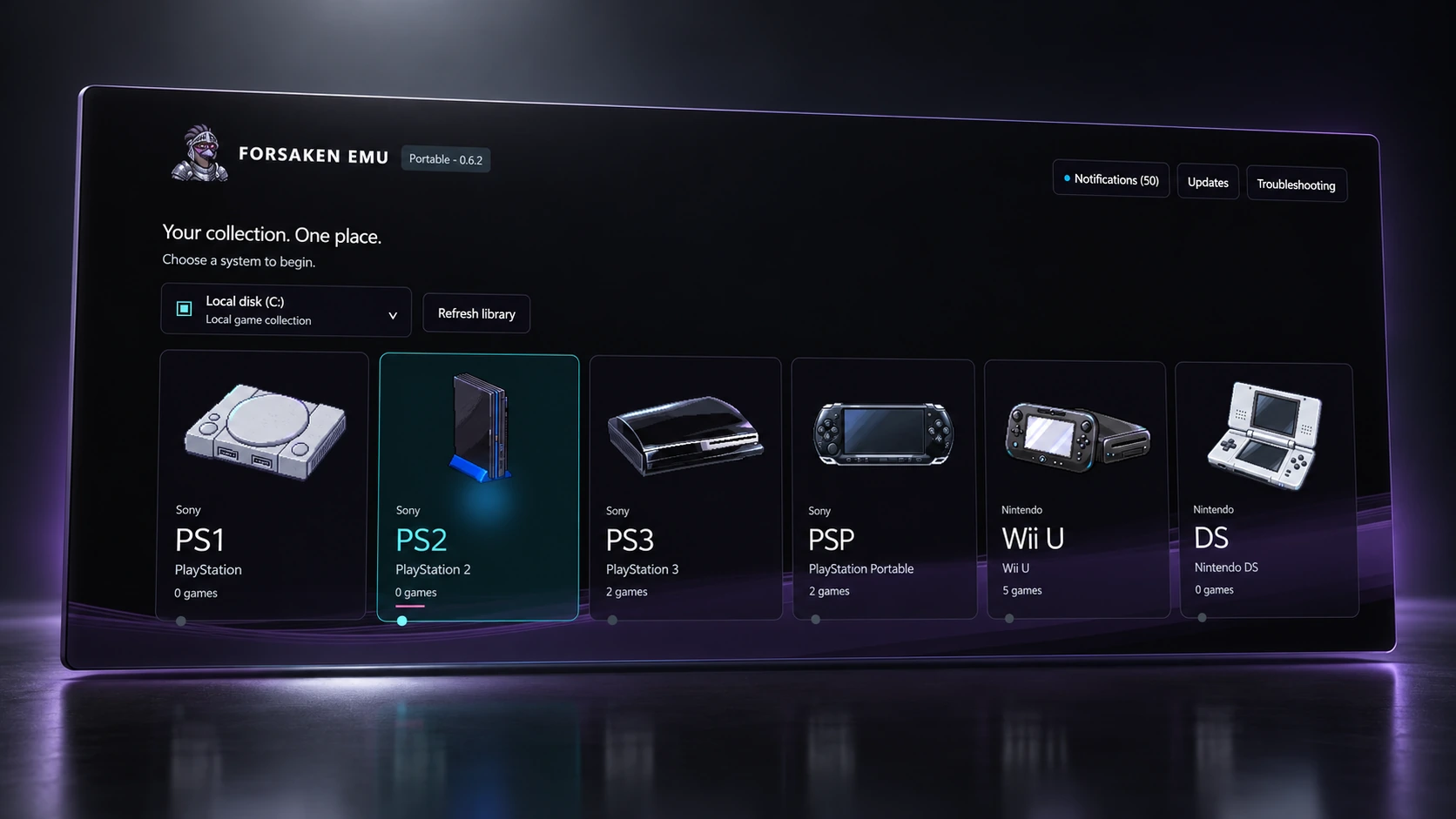
A place for your collection, your soundtrack, and your people.
Browse by console, find your games by their covers, and open them with the emulator you choose. Your existing folders stay easy to manage.
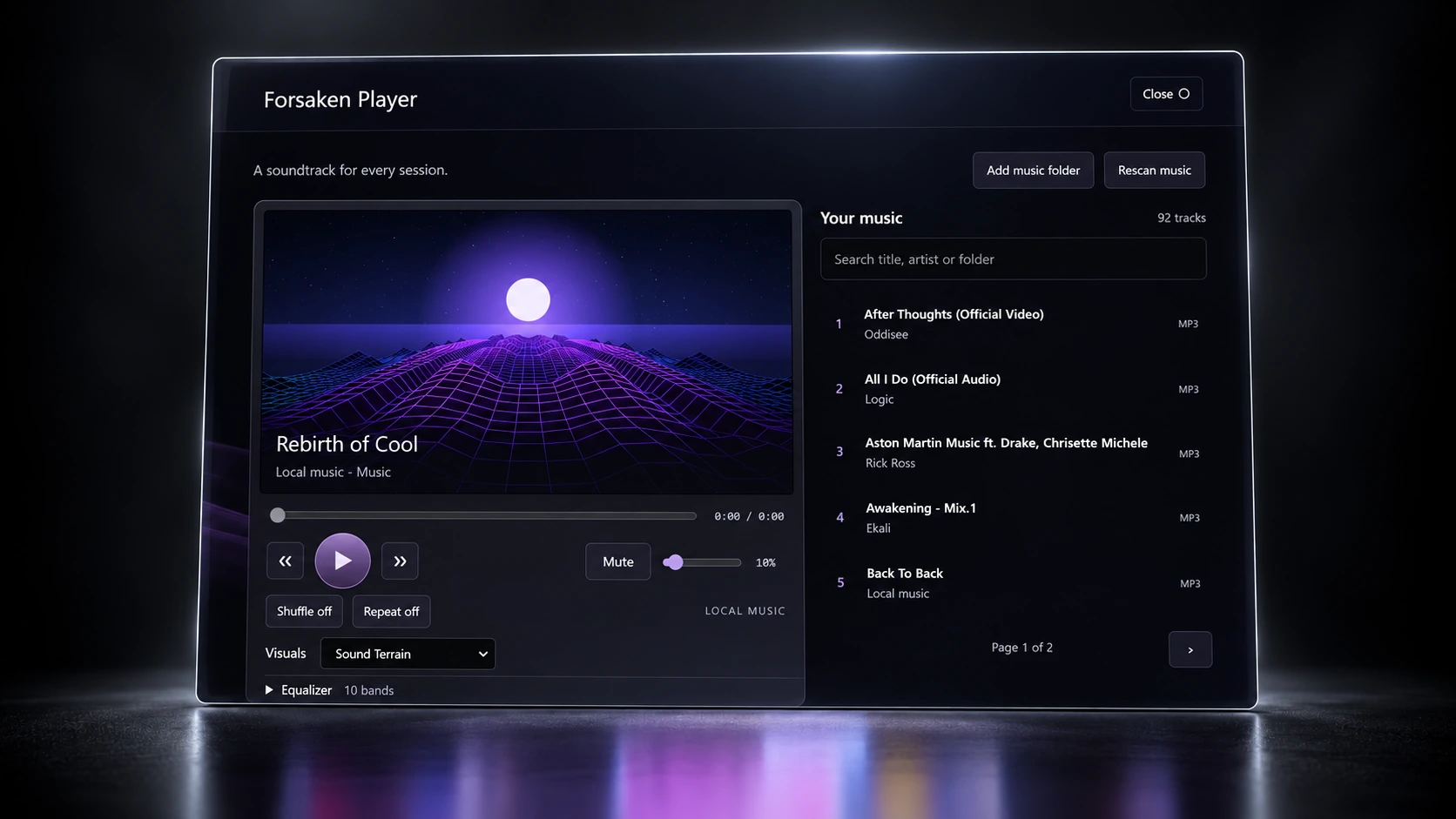
Play your local music, tune the ten-band equalizer, and fill the screen with visuals that react to what you hear.
Group voice a shared Jukebox
Community overviewMeet in World Chat or make a private group. Catch up on voice, add a song to the Jukebox, and vote on what plays next.
Profiles, friend requests, and reporting and blocking tools help you make the space your own. Community requires an account and an internet connection.
Help test CommunityChoose a theme, change your wave and controller-focus colors, or import a custom theme of your own.
Explore a few of the backgrounds already in Forsaken Emu.

Put Forsaken Emu, your emulators, games and music on a portable drive. Or connect folders on your PC. You choose where your collection lives.
Prepare each emulator for portable use, then test your drive on the Windows PCs you plan to use. Hardware requirements and any required Windows components still apply.
Example layout. Existing folders work too.
Your files. A little setup. A much better way to browse.
Point each console to the folder where you keep its games.
Import the emulator files you already have and finish each console’s setup.
Refresh your library, pick a game, and launch it from one place.
Forsaken Emu organizes and launches your files. It does not include games, emulators, BIOS, firmware or keys.
We’re building Forsaken Emu with the people who use it. Tell us about your setup and what you’d like to test.
Applications are reviewed. Access is not guaranteed, and submitting an application won’t automatically create an account or unlock the app.
A few details help us build a useful mix of testers.
The application opens an Airtable form. Your answers go to the private Forsaken Emu beta workspace. Product-news emails are a separate, optional choice.
Prefer a separate page? Open the application in Airtable
No. You supply your own games, emulators and any required system files. Forsaken Emu helps you organize your collection, connect it to your emulators, and launch games.
You can keep the launcher and your collection on an external drive, with supported emulators configured for portable use. Each Windows PC still needs suitable hardware and any components required by your emulators. Test the complete setup on another PC before relying on it away from home.
The launcher currently has setup sections for PS1, PS2, PS3, PSP, PS Vita, Nintendo DS, SNES, GameCube, Wii, Wii U, Switch, PS4 and Xbox 360. Game compatibility depends on the emulator you supply. Some systems, including PS4, have limited or experimental emulation support.
Google sign-in, Community, group voice, shared Jukebox sessions, online artwork lookups and updates need internet access. Once set up, local games and music use files on your connected drive. Individual games and emulators may have their own online requirements.
We review your application and contact selected testers about access and setup. We’re looking for useful feedback across different PCs, controllers and collections. Applying does not guarantee acceptance.
Forsaken Emu is for people who want one organized home for the emulated systems they use, alongside their music and community. The supported systems span several generations; your PC and chosen emulator determine which games you can run.